- Services
- Dynamic Captions
- Animated Avatars
- BWT Videos
- ChatBot Agents

AI ChatbotsSupport more customers with a friendly greeting and helpful chatbot agent.
- Chatbots Category
- Video Editing
May 2026
Step By Step Tutorial Video Creation Tips 2026-05-01
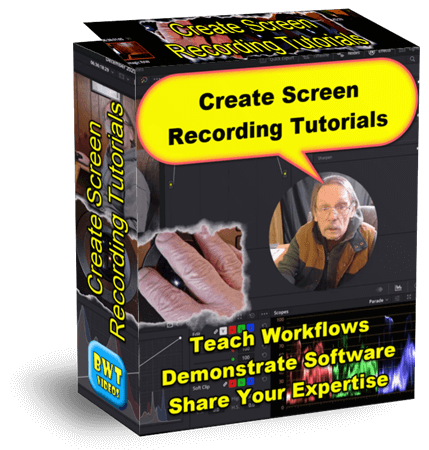
Zooms, highlights, cursor effects and emphasis add cladirty to "How To" videos. Even pacing with short breaks allows for improved retention.
Video tutorials can cost as little as $10 for a basic explainer. And a premium, polished tutorial can cost as little as $50 depending on length and project requirements. See what's possible in this Step by Step Turorial Video...
Website tips for this post:
Step by step tutorial videos are easy to make. If you have a well developed system with lots of power, plenty of disc space, hi-end software and quality editing skills. Got that!
A tutorial video is boring. NOT, If you have the right editor. Teaching videos depend upon clarity and thuroughness. BWT Videos specializes in content retention through quality video production. Got That!
Tutorial videos save time and money. When you need customer support, product descriptions, software demonstsrations or technical descriptions a video does it all. Plus they show visual and audio clues not possible with words alone. Got That Too!
Are you looking to create your own step by step or screencast tutorial videos? Then you should definitely check out how I do it on this next page...

Why Optimizing Your Webpages For SEO And AEO Matters 2026-05-11
Recently I rebuilt my video-editing.html page with SEO (search engine optimization) and AEO (answer engine optimization) framework. The tramsformation was dramatic - I added a lot of missing content, organized it for quick AE access and polished it with new FAQ section and new answer engine friendly structure.
Here's How To Update Your Page For AEO
Start you rebuild with a complete AEO analysis of the page including:
- Page structure
- Content depth
- Schema markup
- Multimedia usage
- Internal linking
- Entity clarity
- AEO readiness
Add a clear, consise Entity Summary section helps AI systems understand "who you are." This is important because they need to know you before they can recommend your services. In short I added sections for:
- Who I am? Tim Koen
- What I do? Edit video
- Where are you located? Michigan
- What tools do you use? DaVinci Resolve, Camtasia
- What services do you offer? Editing, Color Grading
- How much does it cost? By project
- Whom I serve? Small businesses
This is a major win for the page's AEO. It tells the answer engines in short descriptions information it can extricate quickly, and is precisely what they are looking for. In other words a structured itemlist is ideal for question and answer communications.
Next add a Tools & software section. This tells the answer engines what tools I use.
- DaVinci Resolve 21
- Camtasia 2026
- AI audio tools
- SnagIt graphics editor
- AI spokesperson generators
- Screen recording tools
- AI animation tools
Then add a Frequently Asked Questions section (FAQ). AE engines just love FAQs because they are exactly the type of information people look for. My FAQ answers these particular questions:
- What types of video I can edit?
- Editing tools and workflow?
- Pricing and delivery timing?
- What software do I use?
- AI spokesperson generation?
- How to get started?
- What I need from you?
Each FAQ answer is written in short, descriptive and authoritative sentences, that are conversational and answer engine friendly.
Then create a full json-ld schema markup code and added it to the HTML upload. I added a complete multi-entity schema block including:
- Service
- Organization
- Person
- VideoObject
- OfferCatalog
- FAQPage
- BreadcrumbList
This is a major win for the page's SEO & AEO. It connects my person to services and services to organization. Which helps AI understand my offerings, structures the page properly and strengthens my E-E-A-T (Experience, Expertise, Authoritativeness and Trust).
These are major AEO updates, but I also did some SEO, as well. That included improving page structure, add internal linking, and publishing more multi-media. The benefits of doing this should make the page more user and AE friendly as well as:
- Easier to understand
- More authoritative
- More user-friendly
- Future proof
- OfferCatalog
- FAQPage
- More likely to appear in Answer Engines as well as Search engines
Yes, I used AI chatbot (Microsoft Copilot) to help write this blog post, in case you were wondering. No,I did not copy and paste or plagerize the words. I took the time to type it out in my own words and in my own style.
You may have noticed a propensity of lists on this page. It is not a design error, I did it on purpose, because answer engines love lists. They make the information extractable in a structured organized way it can relate too. Lists can also be used to generate schema markup. Which I am going to do for this page next. Meanwhile visit my page to see the results...
April 2026 « » June 2026
Home : Website Tips



61 W. Annabelle Ave. Hazel Park,
MI. 48030-1103, U.S.A.
telephone: (248)546-0374
email: support@best-website-tools.com
© Copyright 2007-2026 All rights Reserved.
Sun: closed
Mon-Fri: 9:00AM to 6:00PM
Sat: 9AM-12:00PM
Closed Holidays
