- Services
- Dynamic Captions
- Animated Avatars
- BWT Videos
- ChatBot Agents

AI ChatbotsSupport more customers with a friendly greeting and helpful chatbot agent.
- Chatbots Category
- Video Editing

December 2025
Quick JPG Stills In DaVinci Resolve 2025-12-04
Quick JPG Stills In DaVinci Resolve 20
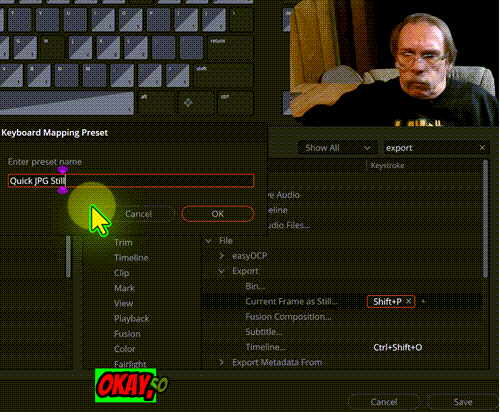
- How to grab a still frame (the hard way). Locate your frame for a still in the timeline. Change to Color page and find the still again. In the viewer with your cursor over the image, right click to open a popup menu. Select "Grab Still." This will generate a copy of the frame in your Gallery. Then find the still in your Gallery and right click on it. Then find "Export" and click on that. A file directory window opens where you can accept the name or change it if you like. Then hit "Save." Wow, that is a lot of clicks, isn't there a better way?
- How to grab a still frame (the easy way). Locate your frame for a still in the timeline. Tap "Shift + P". Name your still and save.
- Okay, you will need a little prep for the easy way. Follow the steps laid out in the above video to create a new keyboard short cut, that grabs a still and exports it right to your computer.
Need to get some video editing done. Get expert screen capture videos made by BWT Videos...

Update Video Creation Tips 2025-12-05
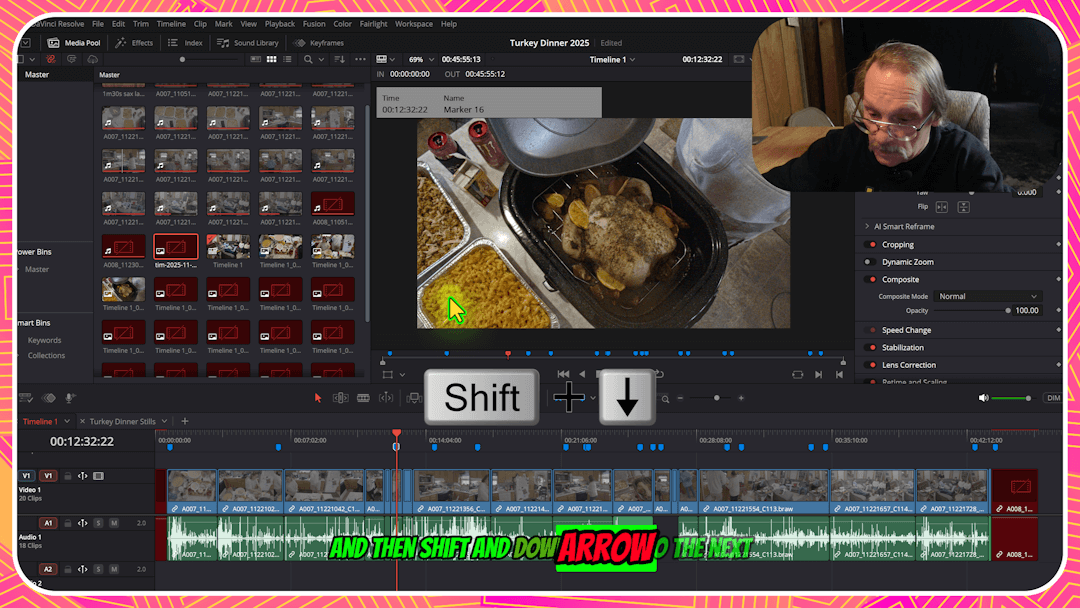
Then I thought I need an image to represent this category. Something that shows what it is about. The following image is a screenshot from a video creation tip tutorial I made...
About this image
It is called "davinci-tim-edit-screen-1080x608.png" and is a screenshot of a tutorial I made in Camtasia about DaVinci Resolve. The tutorial is about creating quick stills in DaVinci Resolve 20. Screen capture and editing in Camtasia. With color correction in DaVinci Resolve.
Completely shot and edited by yours truly, me, Tim Koen. I am particularly proud of this shot because every idea (except for the Turkey Dinner) was concieved, carried out and confabulated in house. I made all the screen captures, a-roll, b-roll, did the narration, titling and background layout (with the help of a good cook).
BWT-ToC Table of Contents Flyout Menu Button 2025-12-11
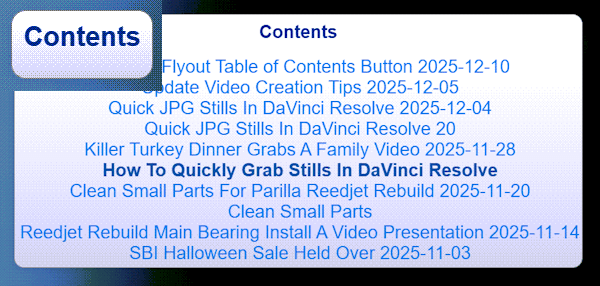
What's cool about this button menu is it changes with the content of the page. Instead of painstakingly going through the page and writing code and creating links and chasing my tail.
I use a javascript and CSS to do the work. And I made a button that pops out a table of contents using H2 headings in order. Have you tried the "Contents" button yet
About BWT-TOC.js
It all started with a visit from a friend. Who said "I have a table of contents that works from the headings on the page, but it takes up a lot of space." Then explained that it scrapes the page for all the H2 tags to create ToC menu of links to each section on the page. Also it's a quick synopsis of what is on the page, nice.
Wish I hadda thought of that! But then I realized after seeing her example it would be better if it were a sticky button on the side of the page with a flyout menu that was scrollable, highlighted where you were in the table and looked like the rest of the buttons on the website.
As you can see the TOC on this page is a popout menu that is sticky, scrollable and highlights the current position in the menu. I can't decide if I want to just keep this little gem of a best website tool or package it up for scalability. Whadda ya think?
Or, I could make a training tutorial on how to make your own flyout ToC. Or I could just keep it for myself. I will probably do all three at some point in the future so stay tuned for that. Need more website tips...
3d Animated Avatars Video Spokesperson Presenters 2025-12-20
Build your own 3d avatar tailored to your design. We can create that special 3d avatar just for your niche, business, product or service. Change outfits, colors and hairstyle to convey mood, age and choose between voices and language.
Thats right folks our 3d avatars can translate between about 26 different languages and dialects. As a matter of fact our 3d avatars can say just about anything. Simply type in your text, then click "auto-translate" button and voila multi-national world class translation in up to 26 languages.
Our team has assembled many templatized promotional videos for the following niches. These 3d animated avatars are the culmination of years of development. We thought you would like to see a list some of the niches we included in our template library. Check out this impressive list.

November 2025 « » January 2026
Home : Website Tools



61 W. Annabelle Ave. Hazel Park,
MI. 48030-1103, U.S.A.
telephone: (248)546-0374
email: support@best-website-tools.com
© Copyright 2007-2026 All rights Reserved.
Sun: closed
Mon-Fri: 9:00AM to 6:00PM
Sat: 9AM-12:00PM
Closed Holidays
